Share your Power BI reports with everyone, without paying for a license per person.
A portal with your logo and colors so your team, clients and partners can view their dashboards securely, from any device. Ready in days, in Spanish, English and Portuguese.
You keep building reports in Power BI. We make sure they reach the right people, with your brand.
Your brand end to end
Logo, color, portal name and your own subdomain. Your users feel it is your platform.
No per-viewer licenses
People who only view reports need no Power BI license and no Microsoft account.
Everyone sees only their own
Assign reports per user and split data by account, client or branch with automatic filters.
Secure access
Sign in with your company's Microsoft account or with email and password, with lockout after failed attempts.
Reports by time of day
Show a different report depending on each operation's schedule and time zone.
Multilingual and dark mode
Each user picks their language and theme. Power BI is shown in their language too.
From any device
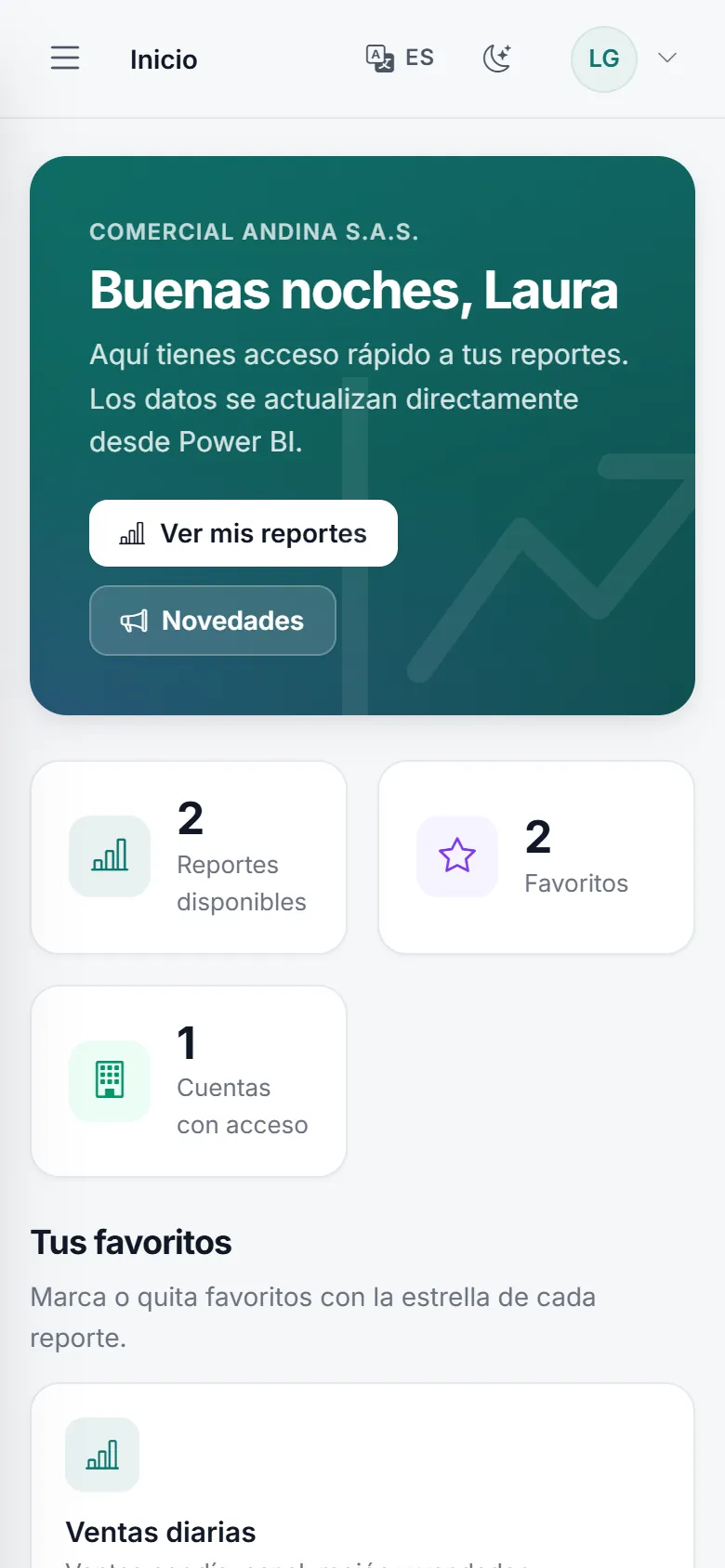
Works on computers, tablets and phones, with nothing to install.
Access log
Know who signed in, when, and which report they viewed.
A look inside
Real portal screens with a sample company and fictitious data. You bring your logo, your colors and your reports.
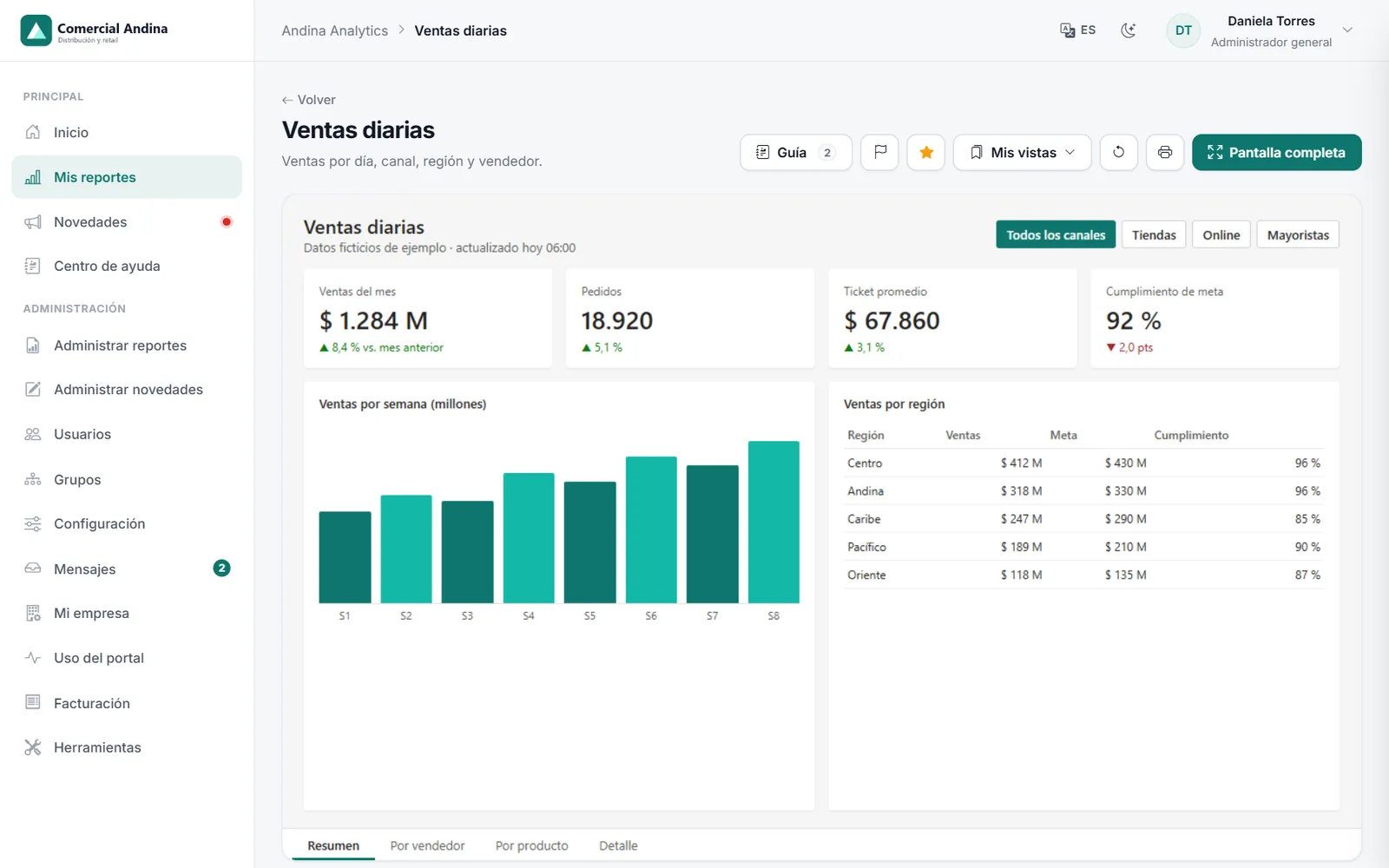
andina.vitrecia.com/Reportes
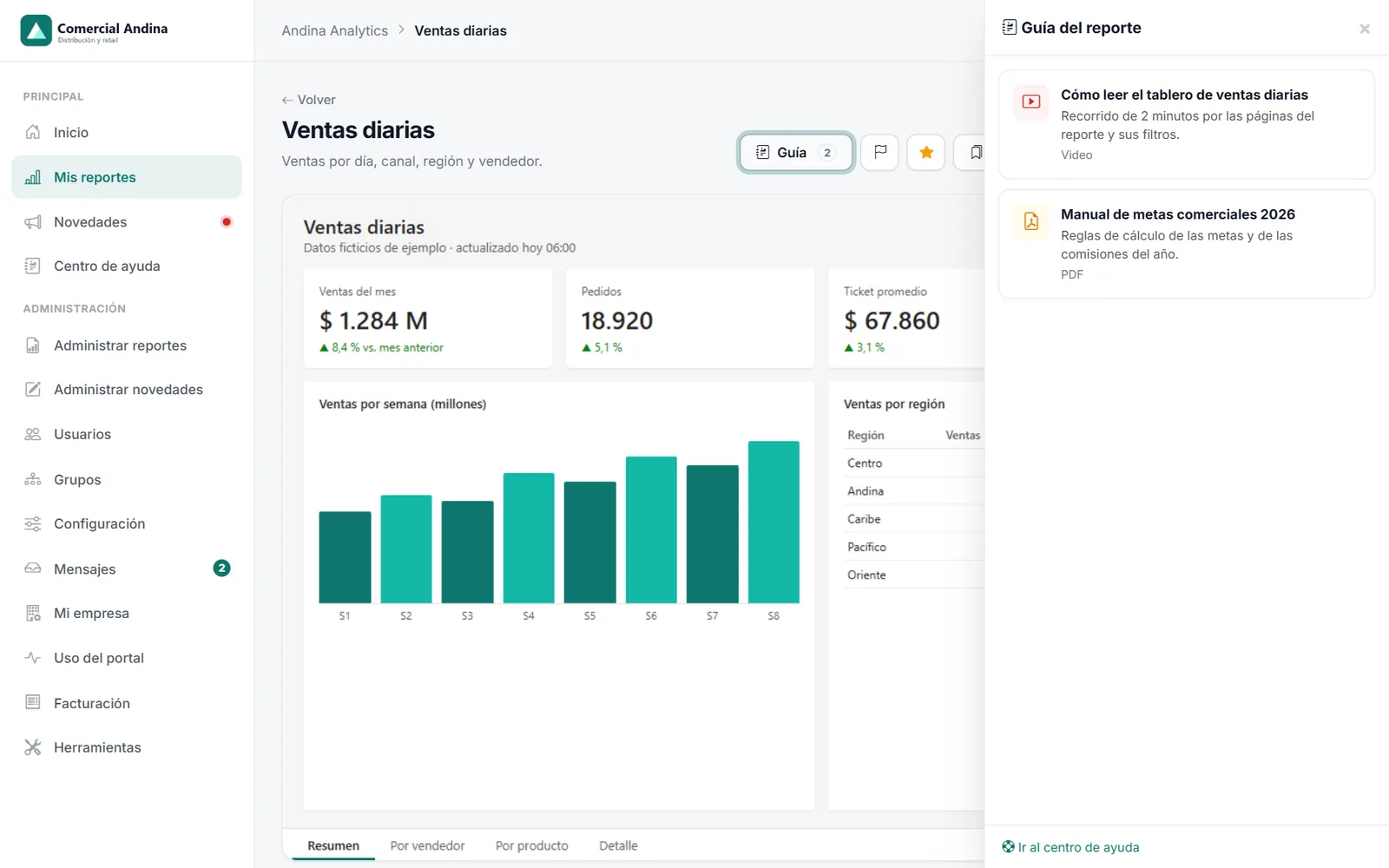
Power BI inside your portal: favorites, saved views, export to PDF or PowerPoint and full screen.
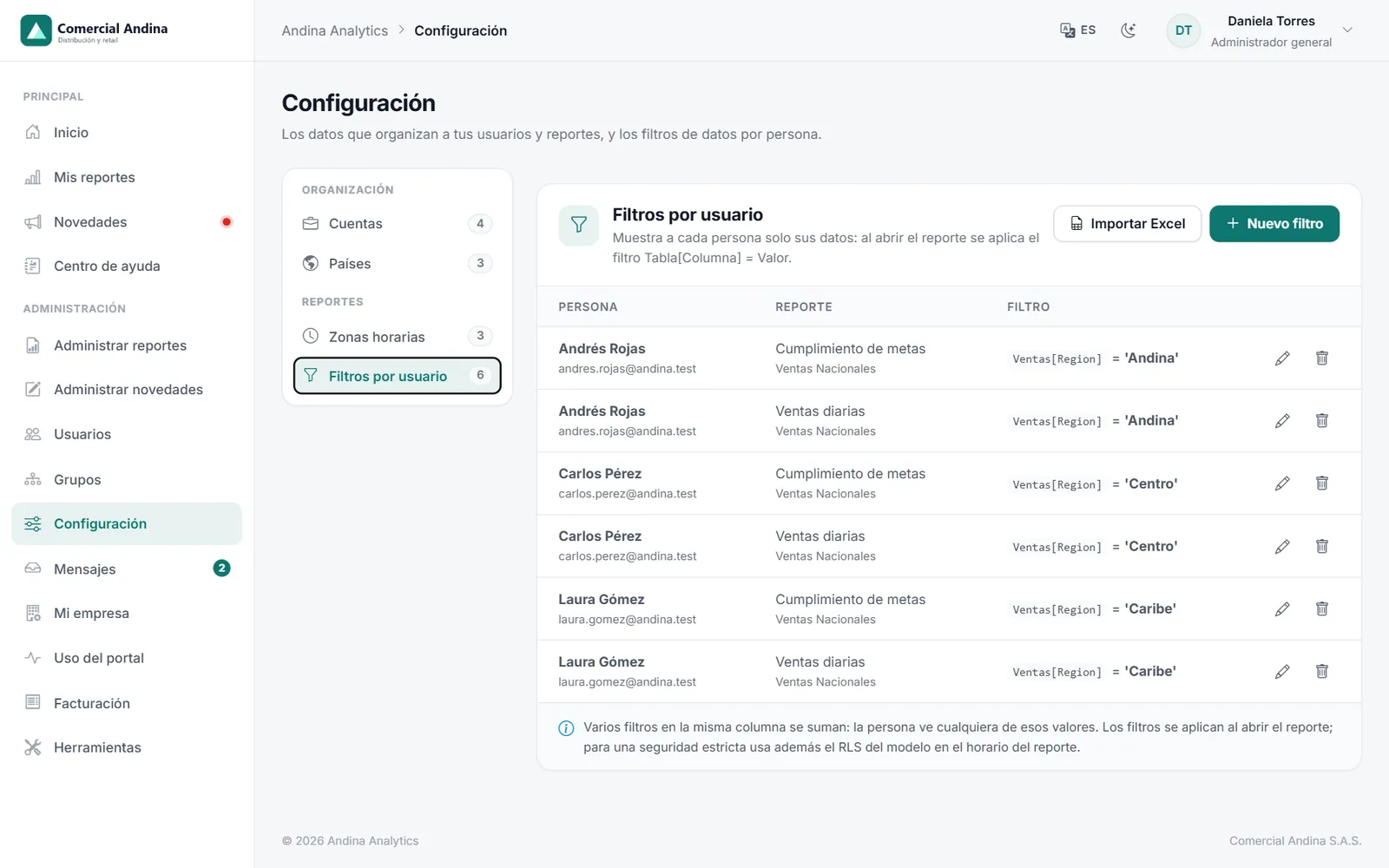
andina.vitrecia.com/Configuracion
Row-level security (RLS) and per-person filters: the Caribbean sales rep only sees the Caribbean, in the same report. Load them one by one or from Excel.
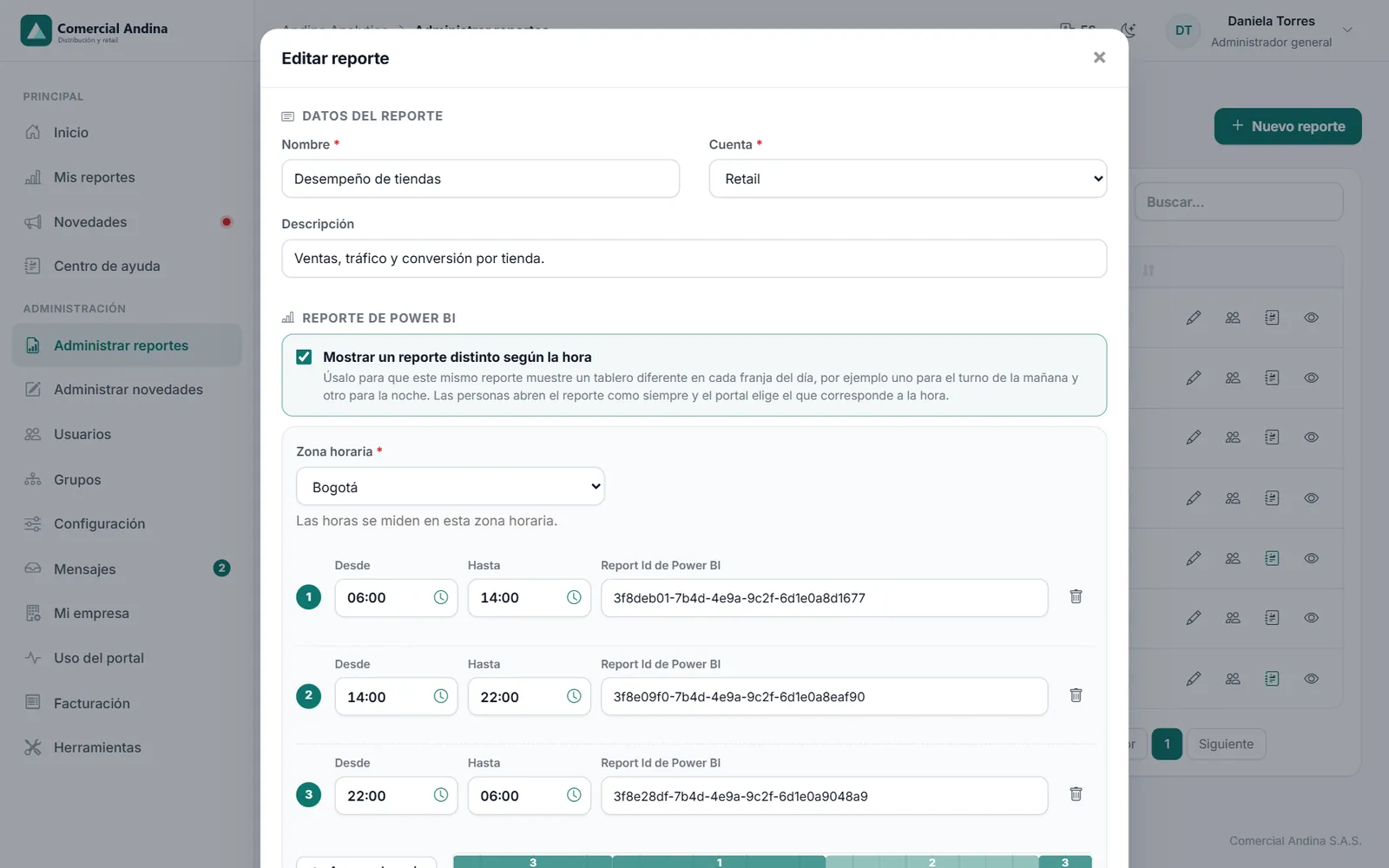
andina.vitrecia.com/Reportes
The same report shows a different dashboard depending on the time of day, in each operation’s time zone.
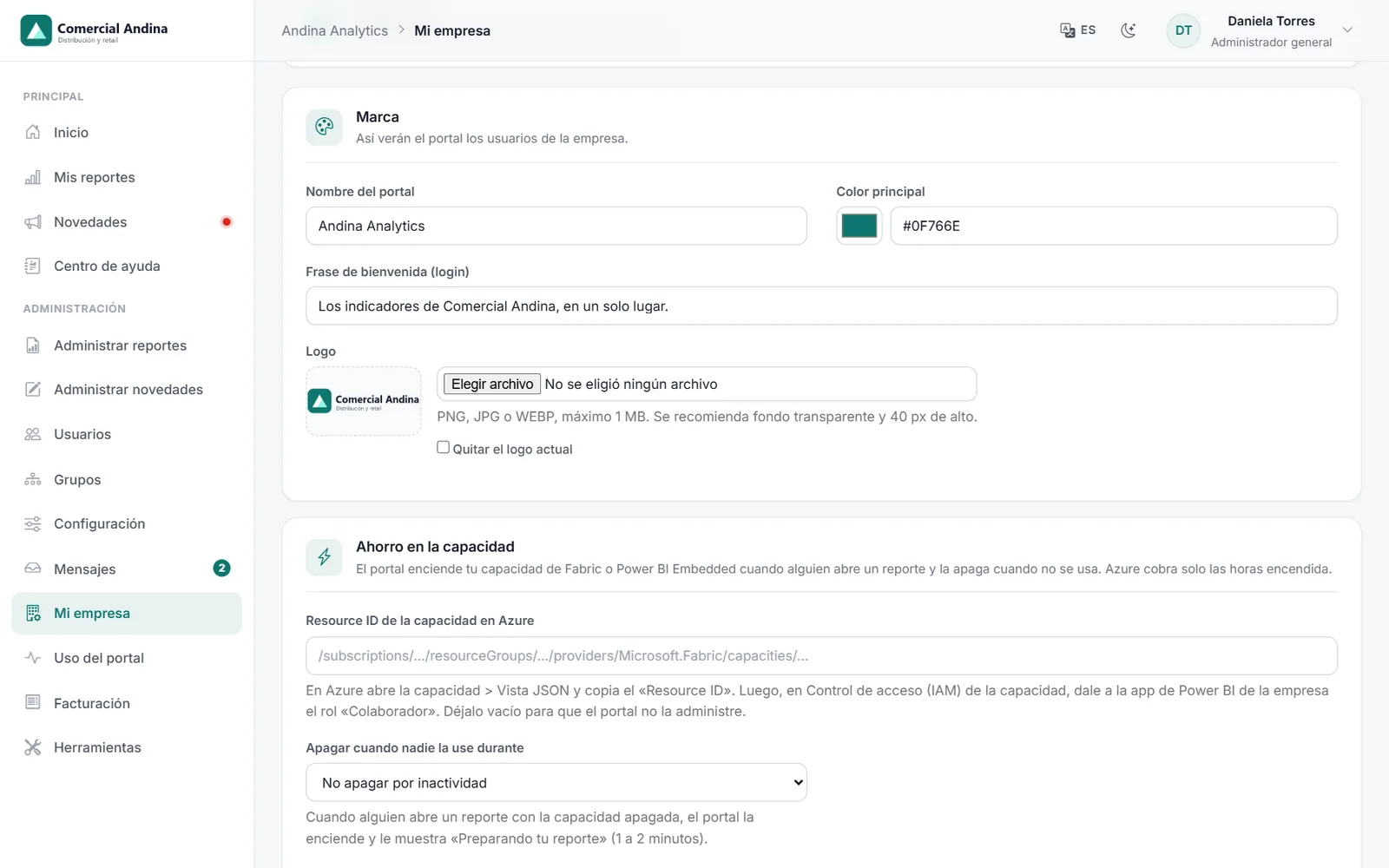
andina.vitrecia.com/Empresa
Upload your logo, choose your color and the portal name. Your users feel it is your platform.
andina.vitrecia.com/Reportes
Upload a video or a PDF that explains the report. Whoever opens it has it one click away, without leaving the dashboard.
andina.vitrecia.com/Soporte
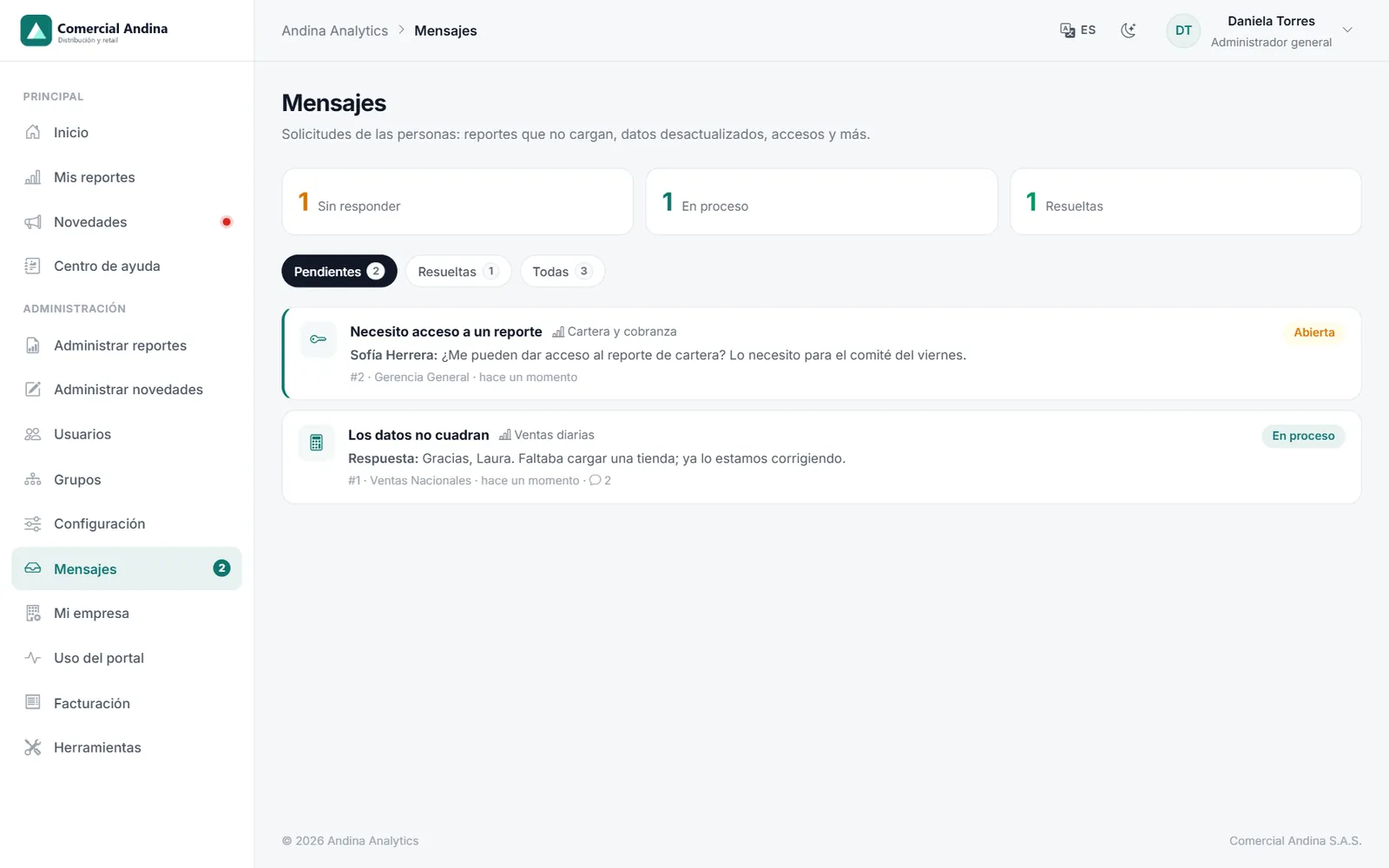
From the report, people flag a figure that looks wrong or ask for access. The people in charge of that account get it in their inbox and reply through the portal.
andina.vitrecia.com/Grupos
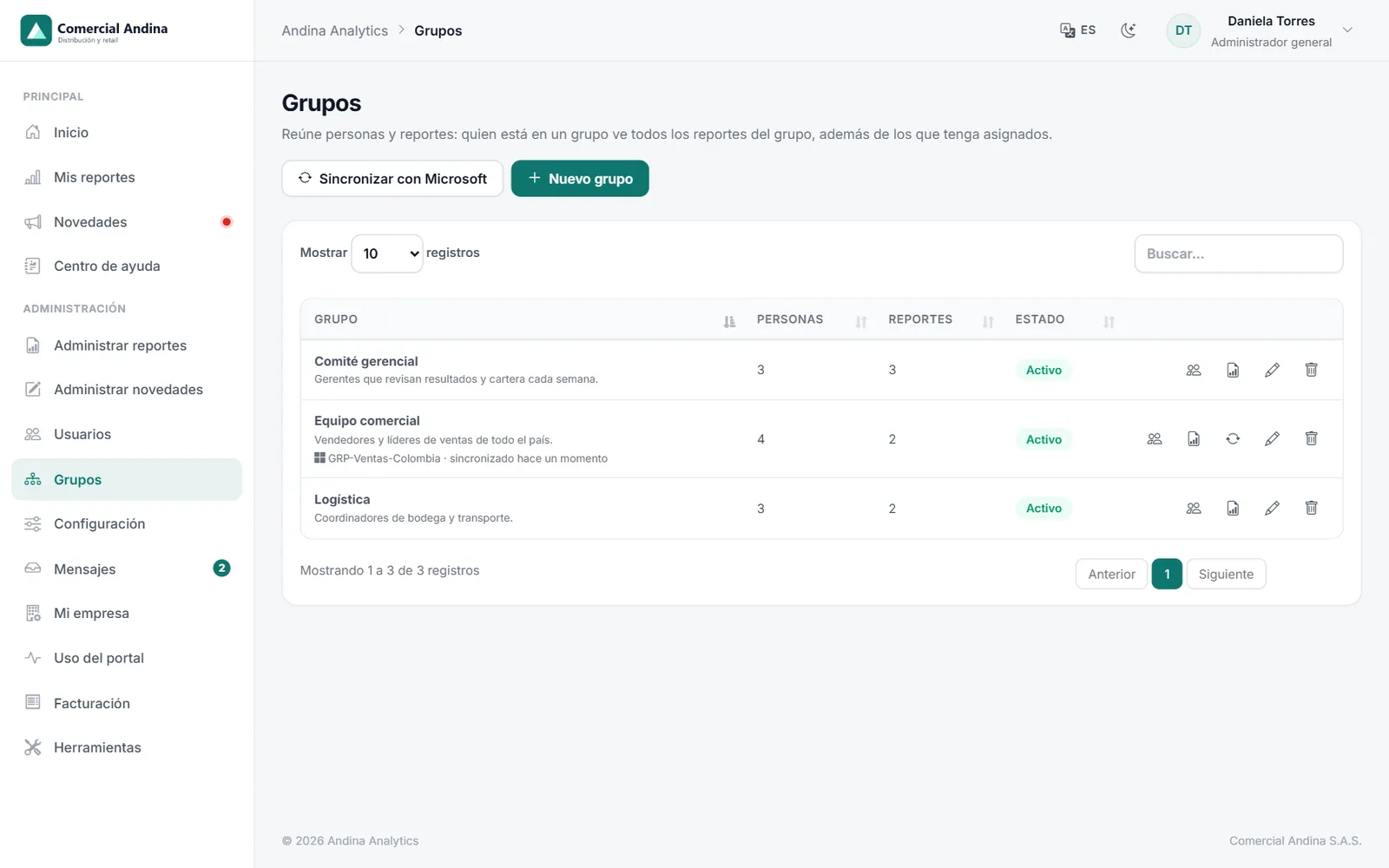
Build groups of people and reports, or link them to Microsoft groups so they keep themselves up to date.
andina.vitrecia.com/Uso
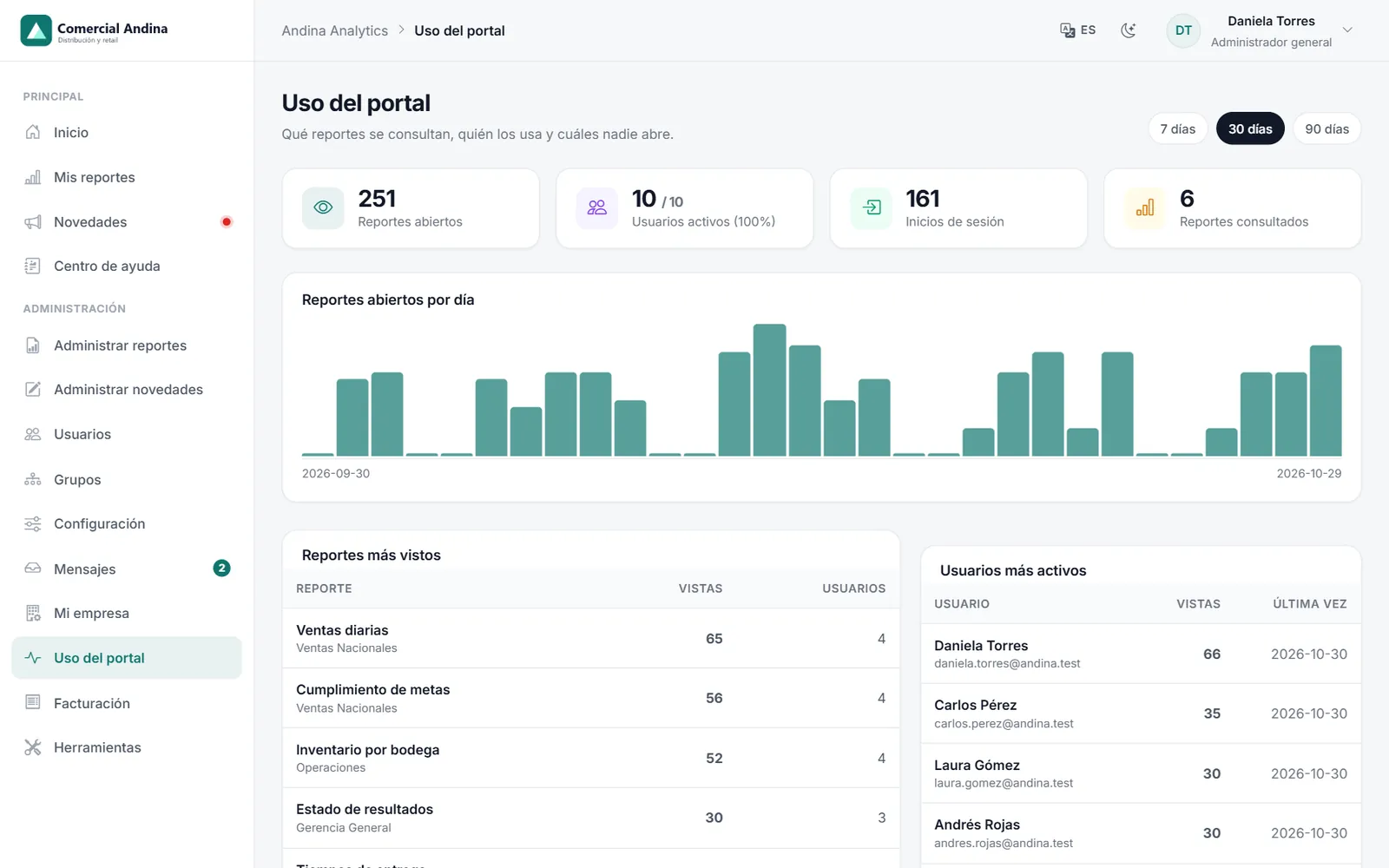
Which reports are viewed, who opens them and which nobody looks at.
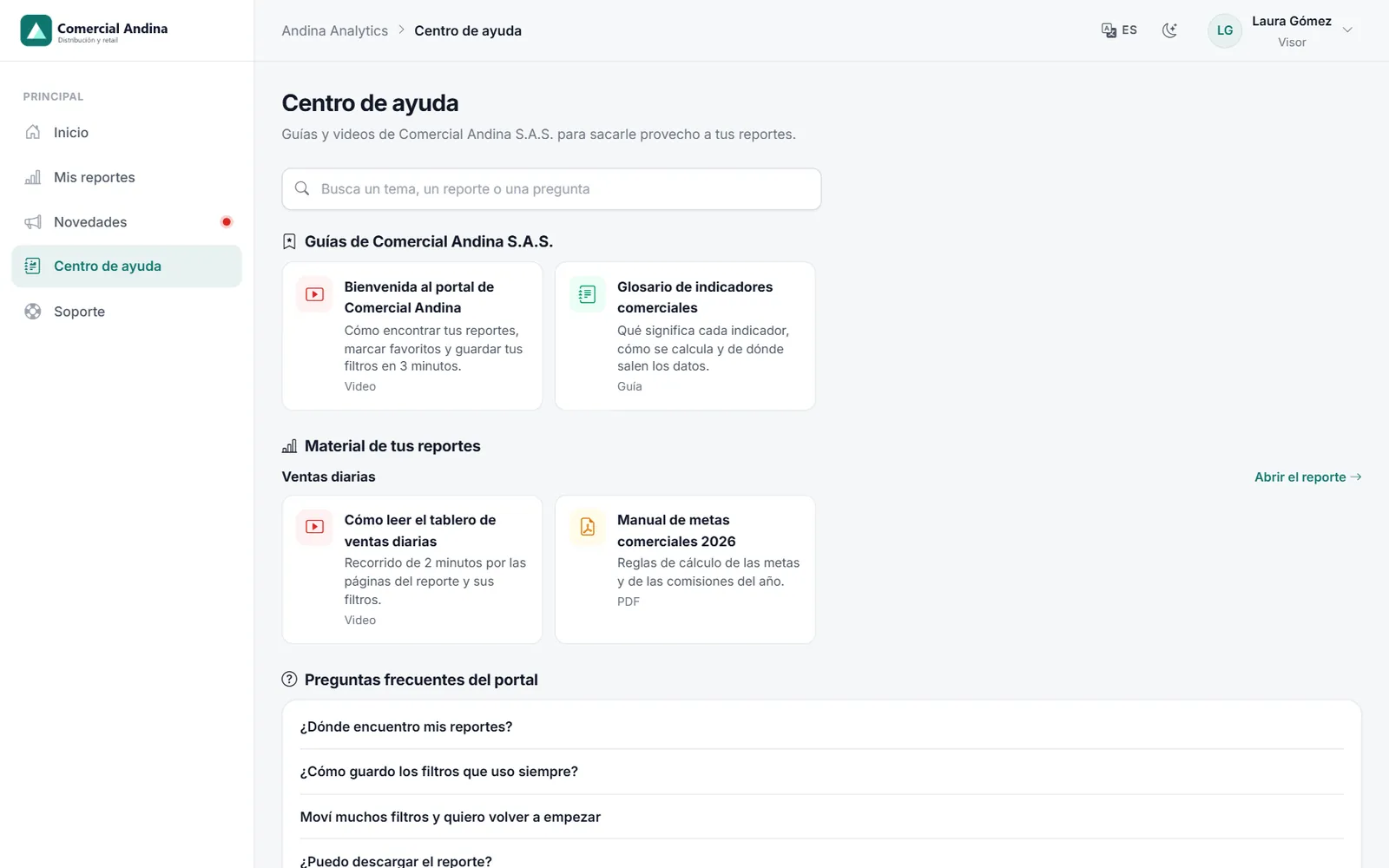
andina.vitrecia.com/Ayuda
Guides, videos and FAQs so your team learns on its own and writes to you less.
Works on computers, tablets and phones, with nothing to install.
How much would you pay to share your reports?
With Power BI, everyone who views a shared report needs a Pro license. With a portal you only pay for the capacity and the plan, no matter how many people view them.
Microsoft list prices in USD: Power BI Pro USD 14 per user per month and Fabric F2 capacity from USD 263 per month. They may vary by region.
Pro license for everyone—
Portal with your Power BI (plan + capacity + 1 Pro)—
All-inclusive portal (no Azure)—
Your reports in your portal in under an hour
With the Microsoft assistant you don’t copy keys or set permissions by hand: one sign-in and you’re done.
1 Instantly
Create your portal
Fill in the form and get your own address (yourcompany.vitrecia.com) and your access right away. Then add your logo and colors.
2 About 10 minutes
Connect Power BI in one click
You sign in with your Microsoft admin account and the assistant creates the app and permissions, assigns the capacity and publishes your reports. With all-inclusive, we do it for you.
3 About 15 minutes
You invite your team
Bring people in from Microsoft or create them, give them reports by group and they start viewing.
Simple pricing, in dollars, no surprises
Choose whether to connect your own Power BI or let us take care of everything.
You also pay Microsoft for your Fabric capacity (from USD 263 per month) and one Pro license for whoever publishes the reports. Your viewers need no license.
Starter
For teams starting to share their reports.
USD 79/ monthUSD 66/ month
Billed monthly.Billed USD 790 per year. You save USD 158
Prices in US dollars (USD), excluding taxes. The annual plan is paid in advance.
Don't want to deal with Azure? We take care of it.
We host your reports on our Microsoft capacity, publish them, schedule the data refresh and hand you the portal ready to use.
Day 1 · You choose your planWe sign up and create your branded portal.
Days 1 to 2 · We prepare your spaceWe reserve your Power BI space on our capacity.
Days 2 to 4 · We publish your reportsYou send us your Power BI files (.pbix) or we help you build them. We connect them to your data and schedule their refresh.
Day 5 · Your team signs inWe create the users. They sign in with email and password or with their Microsoft account.
Always · We support youWe monitor the capacity, publish changes and answer your questions.
Which option suits me?
With your Power BI
All-inclusive
Azure / Microsoft Fabric account
Yours
You don't need one
Payment to Microsoft
Separately, directly to Microsoft
Included in the plan
Who publishes the reports
Your team
Us
Time to go live
The same day, if you already have Power BI
About 5 business days
Ideal for
Companies with a data team and Power BI
Companies that want results without infrastructure
A product that improves every month
Updates reach every customer at no extra cost.
New
Saved views, favorites and row-level security
You can now save your own views of each report (filters and page) and share them with a link, mark reports as favorites and, if your model uses it, apply row-level security (RLS).
What people ask us most
Have another question? Write to us and we will reply within one business day.
Do my users need a Power BI license?
No. Reports are displayed with the company's capacity (or ours with all-inclusive), so viewers need no license and no Microsoft account. Only whoever creates and publishes reports uses a Pro license.
What is Microsoft Fabric capacity and why do you pay for it?
It is the Microsoft service that processes and displays reports inside a portal. Without capacity, Power BI only allows showing them for testing. The smallest one (F2) costs about USD 263 per month and can be paused outside business hours to save money.
How does the free trial work?
We create your portal for free and without a card. During the trial you use every feature of the plan. At the end you choose whether to continue; if not, the portal is paused.
What if I need more users than my plan includes?
You can add extra users to your plan or move up to the next one. The change applies immediately.
What happens if my subscription expires?
We notify you before it expires. After that you get a few grace days; then the portal is paused, but your settings and data are kept for when you renew.
Is my data safe?
Each company has its own database, separate from the others. Credentials are stored encrypted (AES-256) and your reports never leave Microsoft: the portal only receives a temporary permission to display them. You can also apply your models' row-level security (RLS).
What are the benefits of paying annually?
You pay for 10 months and use 12 (2 months free). On all-inclusive plans the onboarding is also free.
Can I change my plan or model?
Yes. You can upgrade or downgrade whenever you want, and move from all-inclusive to your own Power BI: we hand over your reports.
Start your free trial
With your own Power BI, your portal is created instantly and you get your access right on this page. If you choose an all-inclusive plan, we will contact you within one business day.